 Unhaze

Clear the scroll haze. Get your day back.
A gentle pause between you and the apps you open on autopilot. Breathe with Puff, decide, and watch the haze lift from Sunny’s valley.
- Coming soon to Google Play
- Android 8 and up
- No account
- No ads
Not a wall. A moment to choose.
-
Pick the apps that pull you in
Unhaze suggests a few to start with. You choose.
-
Set a daily limit
From 30 minutes to 2 hours a day for those apps, whatever fits your life.
-
Pause, breathe, decide
Open one and Unhaze steps in first. Keep your sky clear, or breathe with Puff and open it for 5 minutes.
Meet Puff, your guide through the haze
A little cloud with a lot of moves. Puff waves hello, breathes with you, reads along in focus sessions and gives a thumbs up when you keep your sky clear.
 Hi there
 Breathe
 Focus
 Nice one
 Clear sky!
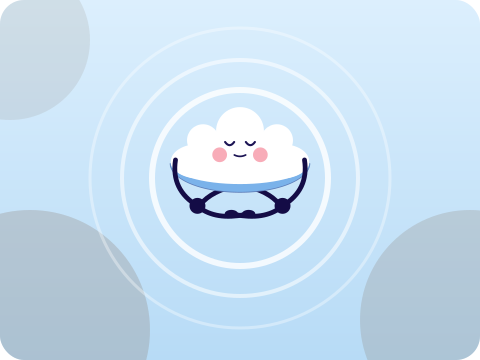
One breath between you and the scroll
When you open an app you chose, Unhaze shows how much of today you’ve used. Most of the time, that moment is all it takes.
- Keep your sky clear and Puff blows the haze away.
- Need it? Breathe with Puff first, then open it for 5 minutes.
- No escape hatches: picture-in-picture can’t sneak past it.
Your day, as weather
The more time those apps take, the thicker the haze over Sunny’s valley. Stay under your limit and the sky stays clear.

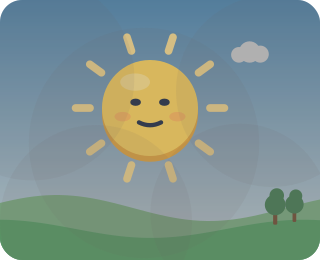
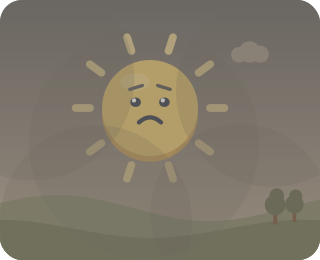
Your last 7 days and minutes for each app are one tap away, and two home-screen widgets show today’s sky at a glance.
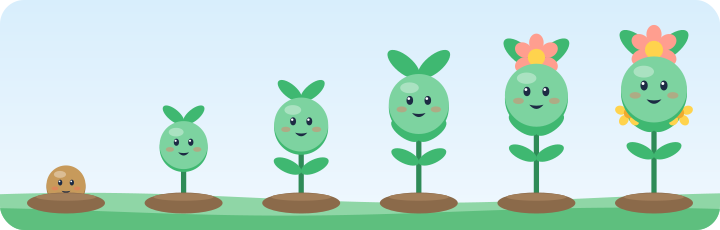
A little plant that grows with every clear day
From a seed to full bloom. A hazy day never shrinks Sprout: it rests, then keeps growing on your next clear day.

Focus sessions with nothing to sneak into
15 to 60 minutes for study, work, reading or rest. Your paused apps stay closed until the timer ends.
- Calm sound: rain, soft keys or a slow drift, made for Unhaze. Or open Spotify.
- A live countdown on Home and in your notifications.
- A small celebration from Sunny when you finish.
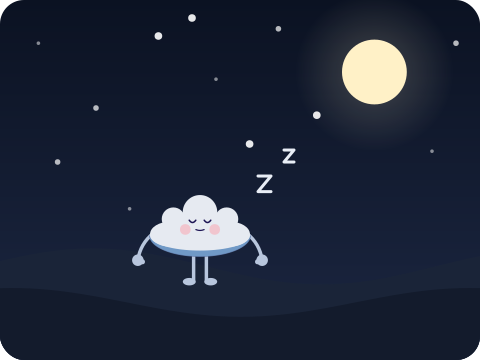
A bedtime that’s easy to keep
Pick your own bedtime and a wind-down. From then until morning, your paused apps rest behind a calm night screen.
- Your times, with a 30, 45 or 60-minute wind-down.
- A simple plan, like “put my phone on the charger”.
- Never locked out: you can still open an app if you really need it.
Your data stays on your phone
Unhaze reads which apps you open and for how long only to show your screen time and pause the apps you chose. It’s never sent to us.
No account
Nothing to sign up for. Open it and go.
No ads, no tracking
No ad or tracking tools, and nothing follows you around the web.
On your phone
Usage data is processed on the device, never uploaded.
Free to start
Pause 1 app for free. Unhaze Plus pauses them all.
Unhaze in 15 seconds
From a hazy day to a clear sky: the pause, a breath with Puff, and back to what you meant to do.
- Sound on for an original little tune.
- Made for phones: it’s vertical, like Reels and Shorts.
Good to know
Something else? Write to support@atharvar.in.
What does Unhaze do?
You pick the apps you open on autopilot and a daily limit for them. When you open one, Unhaze shows a short pause first, so you can choose instead of scrolling by habit. Your day shows up as a sky: clear when you stay under your limit, hazy when you don’t.
Is Unhaze free?
Yes. The free plan includes your sky, Sprout, your 7-day chart, focus sessions and bedtime, and pauses 1 app you choose. Unhaze Plus is a subscription that pauses every app you pick. There are no ads in either.
Can I still open an app when I really need it?
Yes. After a short breath you can open it for 5 minutes. During a focus session your paused apps stay closed, but you can end the session early. At bedtime you can still open one if you need to.
Does Unhaze see my messages or what I do inside apps?
No. Unhaze only sees which app is open and for how long. That stays on your phone and is never sent to us. Privacy policy
Which phones does it work on?
Android phones running Android 8 or newer.
When can I get it?
Unhaze is in testing now and coming to Google Play soon. You can join the early test below.
Be one of the first to clear the haze
Unhaze is in testing before its Google Play launch. Email us from the Google account on your Android phone and we’ll send you an invite.